
Browser Extensions vs. Coupon Websites: Two Approaches to Finding Discount Codes

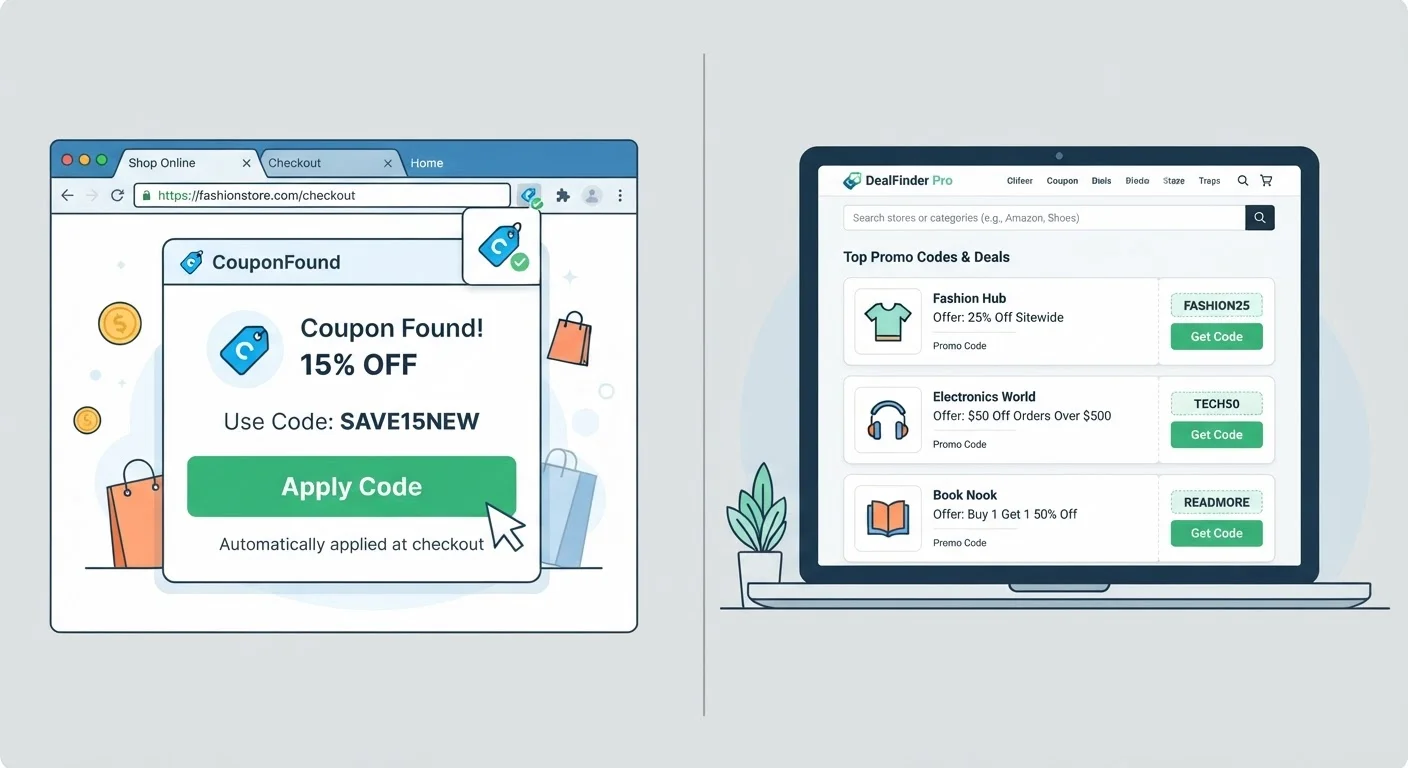
Photo: InsightsChief.com | Your Source Of Trusted Insights editorial
Key Takeaways
- Browser extensions automate code testing at checkout, reducing manual effort but limiting your control over which codes are tried.
- Coupon websites let you browse and compare multiple codes before checkout, often surfacing deals extensions miss.
- Extensions may collect browsing data as part of their business model - review privacy policies before installing.
- Coupon sites can host expired or invalid codes; always verify before relying on a listed promo.
- Using both approaches together often surfaces more working codes than either method alone.
- Neither tool guarantees savings - codes are subject to merchant restrictions, expiration, and cart eligibility rules.
How Each Approach Works
Browser extensions and coupon websites both aim to surface discount codes - but their mechanics differ significantly. Understanding how each tool operates helps you choose the right one for your shopping habits, or decide when to use both.
Browser extensions are small programs installed directly into your web browser. Once active, they monitor the sites you visit and automatically detect when you're on a retailer's checkout page. At that point, the extension pulls codes from its database and tests them in sequence, applying whichever one produces the largest discount. The entire process happens within your existing tab, requiring no separate search.
Coupon websites function as curated directories. Editors, automated scrapers, or community members submit promo codes to a central database, which shoppers browse manually. You search by retailer name, review the listed codes (often with user ratings or recency indicators), copy a code, and paste it into the checkout field yourself. The process is more deliberate but also more transparent - you can see all available options at once.
For a broader look at how discount codes fit into the savings ecosystem, see The Complete Playbook for Finding and Using Coupons and Promo Codes.
| Criterion | Browser Extensions | Coupon Websites |
|---|---|---|
| Setup required | One-time browser install | No install needed |
| Code discovery | Automatic at checkout | Manual search before checkout |
| Control over codes | Limited - extension chooses | Full - you select the code |
| Code transparency | Database not visible to user | All listed codes visible |
| User feedback on codes | Rarely shown | Often available (ratings, comments) |
| Privacy consideration | Requires browser permissions | No permissions required |
| Best use case | Routine, frequent shopping | Planned, higher-value purchases |
Key Trade-Offs to Weigh
Convenience vs. control. Extensions win on convenience - they require no extra steps once installed. But that automation also means you typically can't choose which code gets applied or see the full list of options being tested. Coupon websites put you in control, letting you read user comments, spot expiration dates, and pick the code most likely to work for your specific cart.
Code coverage. Extensions draw from their own proprietary databases, which may not overlap completely with what coupon sites list. A code visible on a deal directory might not appear in an extension's database, and vice versa. Shoppers who check both sources tend to find more working codes overall. For a look at additional places codes turn up, see Places Shoppers Overlook When Hunting for Promo Codes.
Privacy considerations. Browser extensions require installation and typically request permission to read data on the websites you visit. Different extensions handle this data differently - some use it to personalize offers, others for broader analytics purposes. Before installing any extension, reviewing its privacy policy and browser permissions is a reasonable precaution. Coupon websites require no installation and no permission grants.
Code freshness. Both tools can surface outdated codes, but coupon sites are often more transparent about it - user comments frequently flag codes that no longer work. Extensions apply codes silently and may not disclose how recently their database was updated. If a code fails at checkout, Why That Promo Code Isn't Working - and What to Do About It can help you identify the cause.
Extensions and Coupon Sites Aren't Mutually Exclusive
Combining Both Methods for Better Results
For routine purchases - everyday retail, subscription renewals, smaller orders - an extension handles discount discovery without any extra effort on your part. For higher-value purchases or categories where deals vary widely (travel, electronics, home goods), a coupon website adds a layer of research that can surface codes an extension misses.
A practical workflow: let your extension run at checkout as usual, then before confirming the order, open a coupon site and search for the retailer. If you find a code with better reported results, try it manually. This two-step approach takes only a few extra minutes and maximizes the codes you evaluate. You might also consider pairing either tool with a cashback program - Cashback Apps and Coupon Codes: How the Two Discount Systems Compare explains how the two discount mechanisms can work alongside each other.
Neither browser extensions nor coupon websites guarantee a working code on every order. Merchant restrictions, single-use limits, cart minimums, and product exclusions all affect whether a code applies - factors that neither tool can override. Approaching both methods as useful search aids rather than guaranteed savings mechanisms keeps expectations grounded.
This article is for general informational purposes only. Coupon availability, extension features, and privacy practices vary by provider and may change over time. Always review an extension's permissions and a coupon site's terms before use.
The content provided on our blog site traverses numerous categories, offering readers valuable and practical information. Readers can use the editorial team’s research and data to gain more insights into their topics of interest. However, they are requested not to treat the articles as conclusive. The website team cannot be held responsible for differences in data or inaccuracies found across other platforms. Please also note that the site might also miss out on various schemes and offers available that the readers may find more beneficial than the ones we cover.